
Customizing the look and feel of embedded dashboards
This section will walk you through customizing the look and feel of the dashboard once embedded in your product
When using an iframe
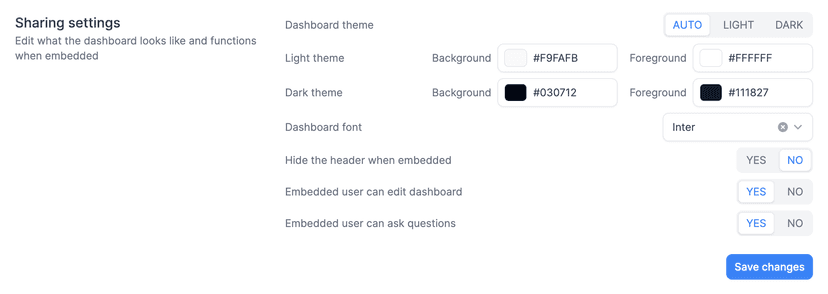
If you embed dashboards using the iframe method, you can make changes to the UI by heading over to https://dashboard.onvo.ai/dashboards/:dashboard-id/settings (opens in a new tab). Here you will find multiple options to customise.
When using the react library
If you are using the react library, you have a few options to customise the interface in the library. You also have endless customisability by changing the styles using css.
<DashboardList variant="list|grid" columns={3}></DashboardList>

<Dashboard editable={false|true}>
    <DashboardGrid spacing={10} />
    <DashboardQuestions />
</Dashboard>